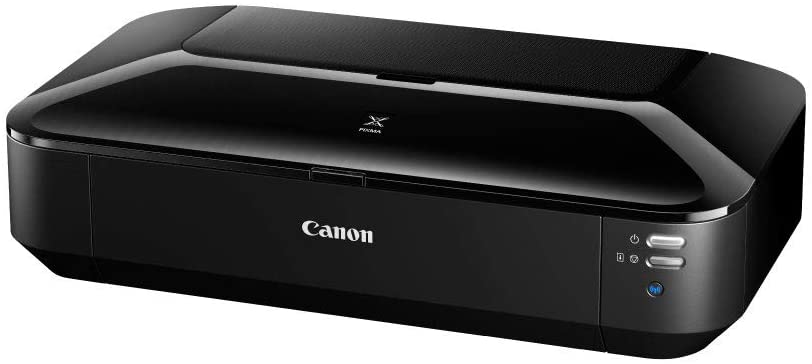
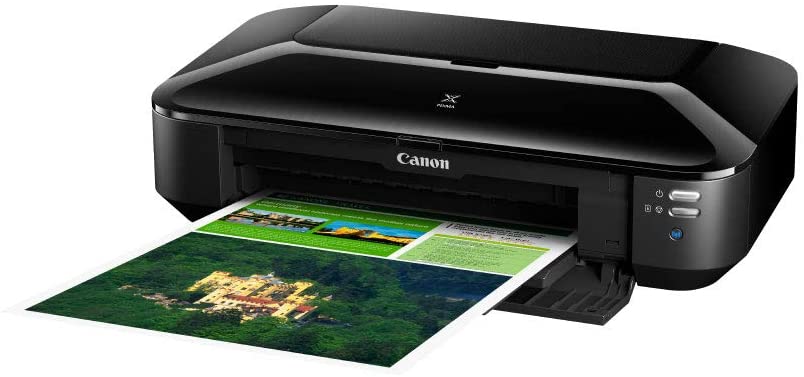


Specifications : High-performance, ultra compact A3+ business printer Easy sharing with wireless and Ethernet connectivity Superb quality prints and no waste with individually replaceable 5 single inks system Superfast document printing: A4 ISO ESAT 14.5 ipm mono/10.4 ipm colour Print more for less with optional XL and XXL inks 1 year warranty Manufacturer Link
Compact, high-performance A3+ wireless office printer
The Canon PIXMA IX6840 high performance A3+ office printer offers Wi-Fi and Ethernet connectivity, plus printing from mobile devices. 5 single inks efficiently deliver superior quality business documents and photos.
Stylish and ultra compact this high performance A3+ printer with 5 single inks offers exceptional quality document and photo printing. It is the ideal desktop solution for printing large excel spreadsheets, business posters and photos.
No waiting for beautiful prints. Thanks to Canon PIXMA IX6840’s FINE technology this printer has a rapid A4 document print speed of 14.5 ipm in mono and 10.4 ipm in colour, and it can print a photo lab-quality 10x15cm borderless photo in approx. 36 seconds.
With both Wi-Fi and Ethernet connectivity it can easily be shared between multiple PCs via an office network. Download Canon PRINT app to print from your smart devices. Apple AirPrint support is also provided.
Print more for less. Optional XL inks deliver significantly more pages, offering up to 30% savings per page compared to standard size inks. The optional XXL pigment black ink allows you to print up to 1000 monochrome pages.
The 5 single ink system includes pigment black ink for crisp, sharp text and dye colour inks for beautiful photo-lab quality images – plus for more efficient printing you only need to change the colour that runs out.
Enjoy access to a wide range of professional quality creative content with CREATIVE PARK PREMIUM. Easily create and print posters and business documents using templates from the exclusive Solution Templates service.
Up to 9600¹ x 2400 dpi
5 Individual Inks (PGBK, BK, C, M, Y)
Inkjet FINE print head with 1pl (min.) ink droplet size
ChromaLife100+ inks
Approx. 14.5 ipm¹
Approx. 10.4 ipm¹
Borderless 10x15cm: Approx. 36 seconds¹
A3+ Bordered: Approx. 120 seconds¹
Yes (A3+, A3, A4, LTR, LDR, 25x30cm, 20x25cm, 13x18cm, 10x15cm)
Manual operation
Canon PIXMA IX6840 PGI-450PGBK (Pigment Black)
Standard: 375 document pages or 2,390 photos
Optional XL: 620 document pages or 4,720 photos
Optional XXL: 1,000 document pages or 7,685 photos
CLI-451BK (Black)
Standard: 1,645* document pages or 384 photos
Optional XL: 5,000* document pages or 845 photos
CLI-451C (Cyan)
Standard: 337 document pages or 125 photos
Optional XL: 700 document pages or 283 photos
CLI-451M (Magenta)
Standard: 324 document pages or 138 photos
Optional XL: 670 document pages or 340 photos
CLI-451Y (Yellow)
Standard: 331 document pages 120 photos
Optional XL: 700 document pages 293 photos
Composite (CMY average)
Standard CMY: 331 document pages or 127 photos
Optional XL CMY: 690 document pages or 303 photos
Canon PIXMA IX6840 Testing standards
ISO/IEC 24711 for A4 colour document pages
ISO/IEC 29102 for 10x15cm colour borderless photos
Values obtained by continuous printing
* Estimated supplemental yield
PGI-455PGBK XXL (Pigment Black XXL)
PGI-450PGBK XL (Pigment Black XL)
CLI-451BK XL (Black XL)
CLI-451C XL (Cyan XL)
CLI-451M XL (Magenta XL)
CLI-451Y XL (Yellow XL)
Plain Paper
Envelopes (DL, COM10)
Canon Pro Platinum (PT-101)
Canon Pro Luster (LU-101)
Canon Plus Glossy II (PP-201)
Canon Plus Semi-gloss (SG-201)
Canon Glossy Everyday Use (GP-501)
Canon Matte (MP-101)
Canon High Resolution Paper (HR-101N)
Canon Photo Stickers (PS-101)
Canon T-Shirt Transfer (TR-301)
Max. 150 sheets of plain paper
Max. 20 sheets of photo paper
A3+, A3, A4, A5, B4, B5, LTR, LGL, LDR, 25x30cm, 20x25cm, 13x18cm, 10x15cm
Plain paper: 64 – 105 g/m²
Canon photo paper up to 300 g/m² (PT-101)
Hi-Speed USB
Ethernet: 10/100Mbps (auto switchable)
Wi-Fi IEEE802.11 b/g/n¹
Wireless LAN Frequency Band: 2.4GHz
Please refer to the user manual for instructions on how to activate/deactivate the wireless LAN.
Windows 10 (32 and 64-bit)
Windows 8.1 / 8 / 7 / Vista SP1 & SP2 / XP SP3 32-bit
Mac OS X v10.6.8 or later
iOS (Canon PRINT app, AirPrint)
Android (Canon PRINT app)
Windows RT
Windows: Internet Explorer 8, internet connection or CD-ROM
Mac: Safari 5 and internet connection
Display: 1024 x 768 XGA
Printer driver
My Image Garden
Quick Menu
Easy-WebPrint EX (plug-in for IE8 or higher)
| Resolution | 1024 x 768 |
| Brand | Canon |
| SKU / Part No. | IX6840 |